
Lone Star College recognizes and supports the principles set forth in federal and state laws designed to eliminate discrimination against qualified individuals with disabilities. The College believes in equal access to educational opportunities for all individuals and is committed to making reasonable accommodations, including providing auxiliary aids and services, for qualified individuals with disabilities as required by law.
Building Accessible Courses
Individual student accommodation remains an important part of creating equitable access to online education. However, there are several proactive steps faculty can take to build accessible content and incorporate universal design strategies to enhance the accessibility of their online course.
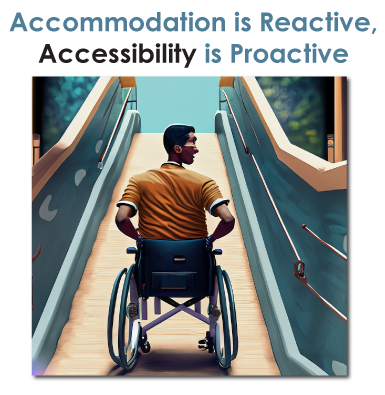 |
Accessible online content can be compared to physical wheelchair ramps and accessible entryways, it provides a digital pathway and allows all students to enter and utilize the course.
|
To get assistance with implementing accessible practices, using tools such as Ally and EquatIO, or to ask questions about accessibility, please contact the office best suited to assist you:
- Accessibility Checklist by Library Services: Not sure where to get started with accessibility? This checklist offers a simple, practical guide to help you ensure your content, technology, or project is usable by everyone. From basic design considerations to essential compliance steps, it’s an easy way to begin building more inclusive experiences.
- Tips for Creating and Testing Accessible Content: Resources and guidance for creating and testing accessible content, created by Library Services.
- Campus Technologists / VTAC Support: Assistance with D2L tools, technology, and accessible course content guidance.
- Instructional Designers: Assistance with accessible course design best practices.
- Disability Services: Assistance with course accommodations and support for specific student accommodations.
- Accessibility Services and Resources: Assistance with public accessibility inquiries, legal compliance for campus or system-wide access, and employee accommodation.
Select a format for accessibility tips and instructions:
 Microsoft Word Microsoft Word
|
 Microsoft PowerPoint Microsoft PowerPoint
|
 Microsoft Excel Microsoft Excel
|
 PDF Files PDF Files
|
D2L Content via Ally |
 Math Math
|

Videos and Media |
||
Accessibility Training Recordings
Below are some training recordings about accessibility tools. Check out our Training Calendar for upcoming sessions related to accessibility. For other self-paced training, visit our Other Accessibility Resources page.
Adobe PDF files
- "Tagging PDF Files" from LSC-HN Power Hour (0:29)
- "Using the Adobe Acrobat Accessibility Checker" by Eddie Brega (0:16)
- "Remediate a Scanned PDF File" by Eddie Brega (0:16)
Ally, for D2L content
- "Ally in Practice: Prioritizing Improvements" by Blackboard (0:54) (resources) - NEW
- "Instructor's Guide to Ally" by Tamara Herod (0:32)
- "Ally - Instructor Training" by Blackboard (1:12)
- "Advancing Equity with an Accessible Online Course" (0:28)
- "Increase Equitable Access with Ally" (0:45) (slides)
Equatio, for Math & Science
- "Equatio and Accessibility in STEM" by Adriana Novaes (0:31) (slides)
- "Equatio for Accessibility and More" by Adriana Novaes (0:41) (links)
YuJa, for videos
- "Make YuJa Videos Accessible at Scale" by YuJa (0:19)
- "YuJa Lumina Accessibility Updates - May 2026" by YuJa (0:14)
- "Caption Accessibility Best Practices" with Jayne Davids (1:06)
- "YuJa Lumina Video: Beyond the Basics" with Yennhu Nguyen (0:39)
General Accessibility
- "Creating Accessible Course Content" by D2L (1:25) (slides - chat - Q&A)
- "A Texas-Sized Accessibility Presentation" by TxDLA (0:47) (slides) - NEW
- "Quality Matters Mini: Accessibility" by Alex Suchon (0:36)
- "Color & Contrast Considerations" from LSC-HN Power Hour (0:41) (links)
- "Making STEM Accessible: Using AI to Convert Course Materials for D2L" (0:46) (slides)
- "Universal Design for Learning (UDL)" by YuJa (0:35)
- "Supporting Cognitive Needs in Teaching and Learning" by D2L (0:47)
Helpful Handouts
- Tools Supported by Online Services (print version with QR codes)
- Accessibility Checklist
- PDF Accessibility Cheat Sheet
- PowerPoint Cheat Sheet
- Word Document Cheat Sheet
- YuJa Lumina Cheat Sheet
Feeling Overwhelmed?
- Prioritize your most used content first
- Focus on the "Big Four"
- Add alternative text to describe your images
- Use basic document formatting with semantic structure (headings, lists, etc.)
- Offer video captions and transcripts
- Use 3rd-party tools that are accessible
- Remove inaccessible content that you no longer use
- Going forward, try to make your content accessible as you create it