
Even if you have merged your courses in D2L, the state of Texas still requires that the syllabus for each secondary course be posted online. Posting syllabi is a compliance requirement related to Internet Access to Course Information. Lone Star College is required to publish the course syllabus and instructor vitae online each semester in accordance with Texas Administrative Code, Title 19, Part 1, Chapter 4, Subchapter N, Rule §4.228.
If you would like to use the same syllabus for your merged courses, you may do so by following the steps below to access the syllabi and import content from the primary course into your merged sections.
NOTE: For info on how the Tentative Course Schedule interacts with merged sections, please refer to the Simple Syllabus: Syncing Tentative Course Schedule with D2L article.
Accessing the Syllabi for Merged Sections
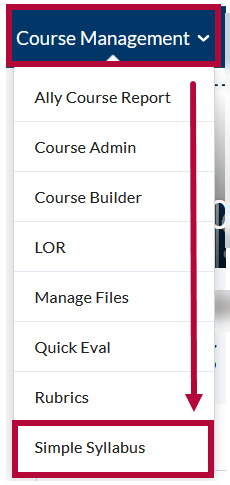
- From your Course Homepage, select [Course Management] → [Simple Syllabus].
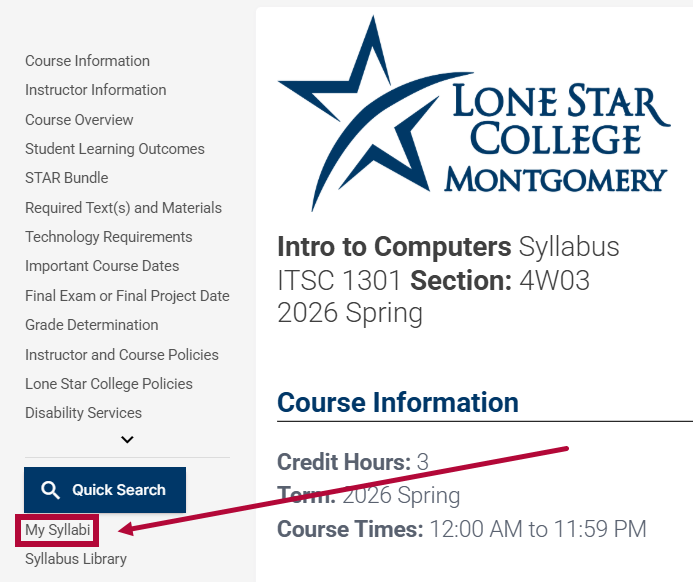
- Click the [My Syllabi] link in the lower left corner under the [Quick Search] button.
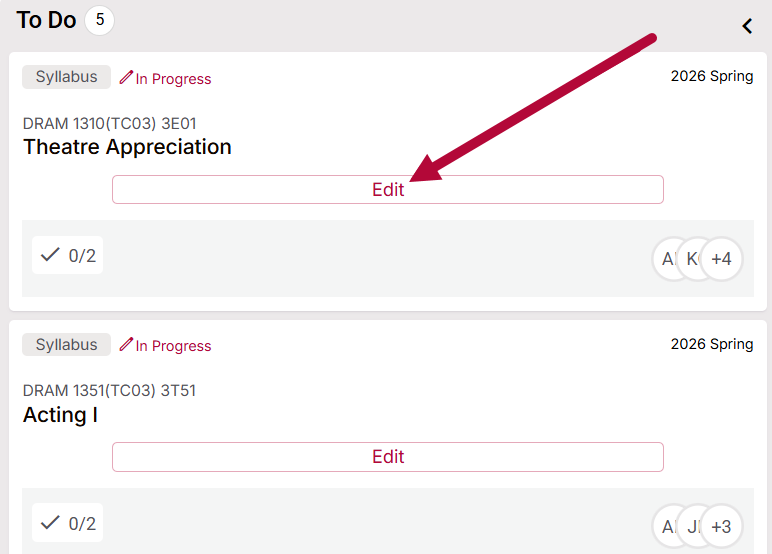
- Click [Edit] for the syllabus that needs to be completed.
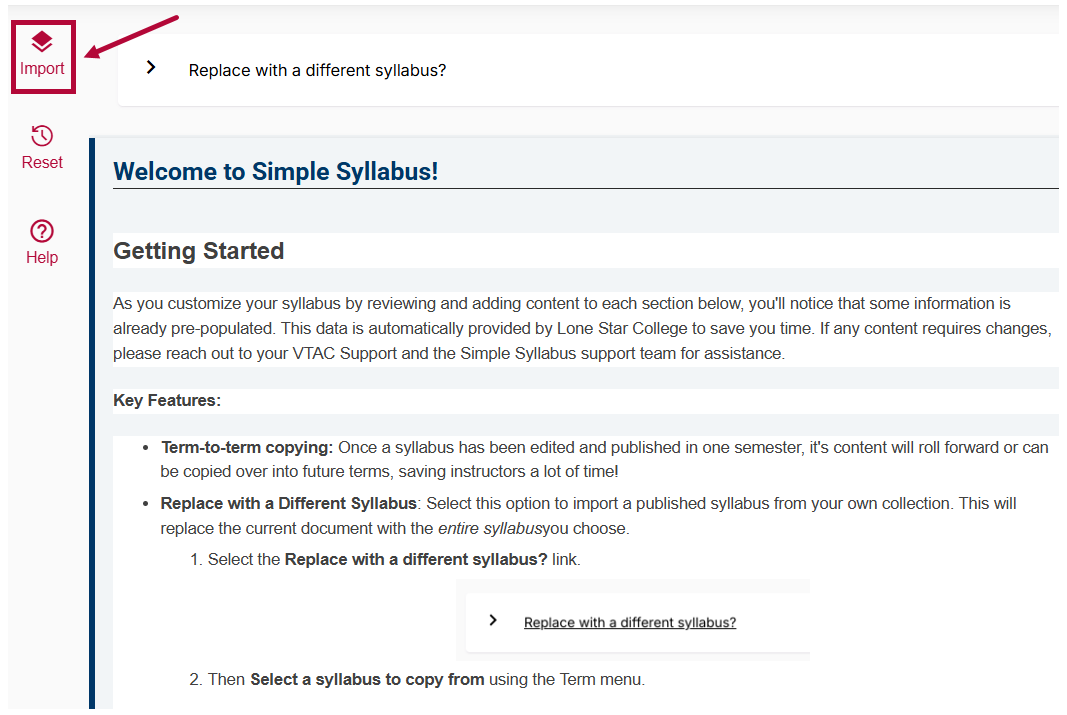
- Once your syllabus is open, select [Import]. Then refer to the Importing Content from Another Syllabus article for next steps.
For questions about this process, contact VTAC Support. If you would like assistance with the setup, please schedule an appointment with a VTAC Agent.