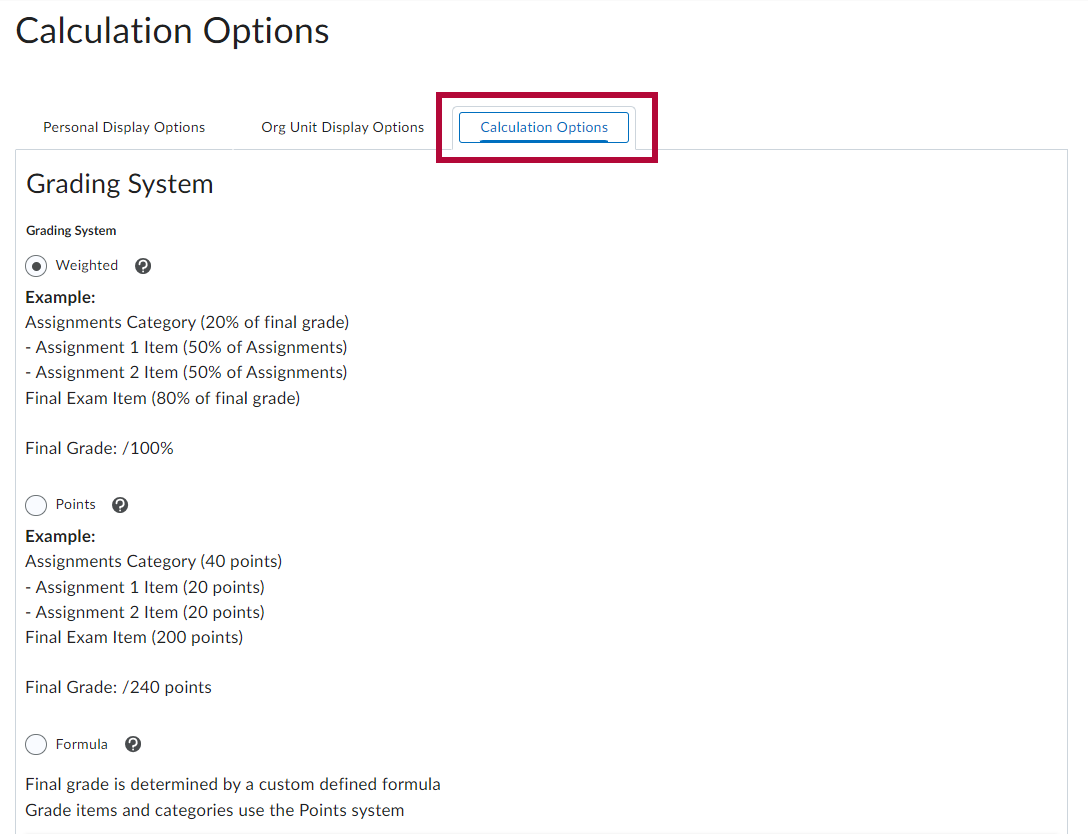
In D2L you can use either a Points grading system or a Weighted system. Either is a valid choice. But whichever you use, it should be the one described in your syllabus.
Weighted by Category
- The grades are organized by category.
- Each category is assigned a weight.
- All category weights add up to 100%
- The number of points any grade item is worth is irrelevant because the percent score is multiplied by the category weight.
Points by Activity
- Grades may be organized by category, chronologically, or in any order desired.
- Each grade item is worth a certain number of points toward the total points possible.
- The more points an item is worth, the more weight it will have in the final grade.
- The final grade is calculated by dividing the number of points attained by the total points possible.
Example Gradebook Setup
It is helpful to students for you to organize your gradebook the way it is in your syllabus. For example, if your syllabus contains the grading structure below:
Weighted System
Exams - 25%
Essays - 20%
Lab - 20%
Quizzes - 20%
Discussions - 15%
Then your Manage Grades tab should look like this:
| Grade Item | Type | Association | Max. Points | Weight |
|---|---|---|---|---|
| Exams |
|
|
|
25 |
| Exam 1 | Numeric | Quizzes |
100 | 50 |
| Exam 2 | Numeric | Quizzes |
100 | 50 |
| Essays |
|
|
|
20 |
| Essay 1 | Numeric | Assignments |
100 | 50 |
| Essay 2 | Numeric | Assignments |
100 | 50 |
| Lab |
|
|
|
20 |
| Lab 1 | Numeric | Assignments |
100 | 50 |
| Lab 2 | Numeric | Assignments |
100 | 50 |
| Etc. |
|
|
|
|
Points System
Exams - 250
Essays - 200
Lab - 200
Quizzes - 200
Discussions - 150
Then your Manage Grades tab should look like this:
| Grade Item | Type | Association | Max. Points |
|---|---|---|---|
| Exams |
|
|
|
| Exam 1 | Numeric | Quizzes |
125 |
| Exam 2 | Numeric | Quizzes |
125 |
| Essays |
|
|
|
| Essay 1 | Numeric | Assignments |
100 |
| Essay 2 | Numeric | Assignments |
100 |
| Lab |
|
|
|
| Lab 1 | Numeric | Assignments |
100 |
| Lab 2 | Numeric | Assignments |
100 |
| Etc. |
|
|
|
Grading System Calculation Options Settings
You have the option to modify the gradebook grading system within the gradebook settings. Navigate to the [Settings] section by clicking on it within the [Enter grades] or [Manage Grades] window.
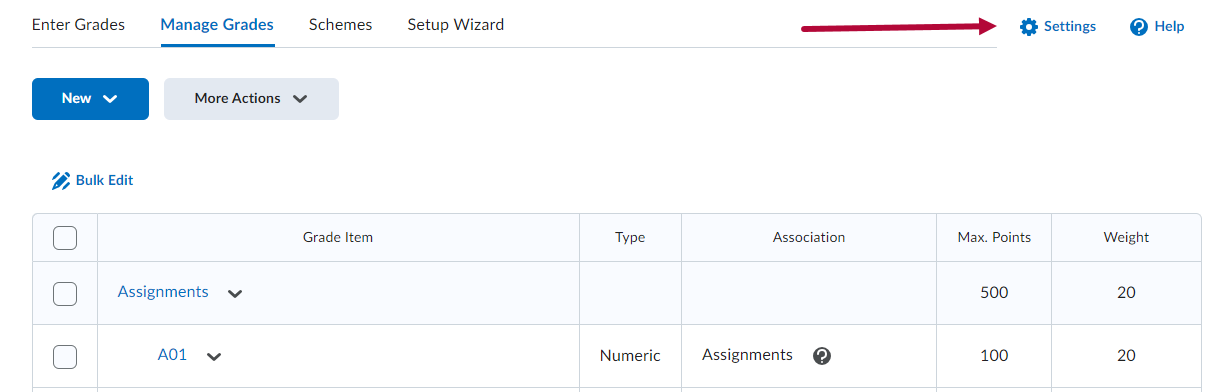
Choose your preferred option from the [Calculation Options Tab].